Article Nov 4, 2026, 08:06 AM
Aspose for SaaS Company: Automating Document Processing in Digital Products
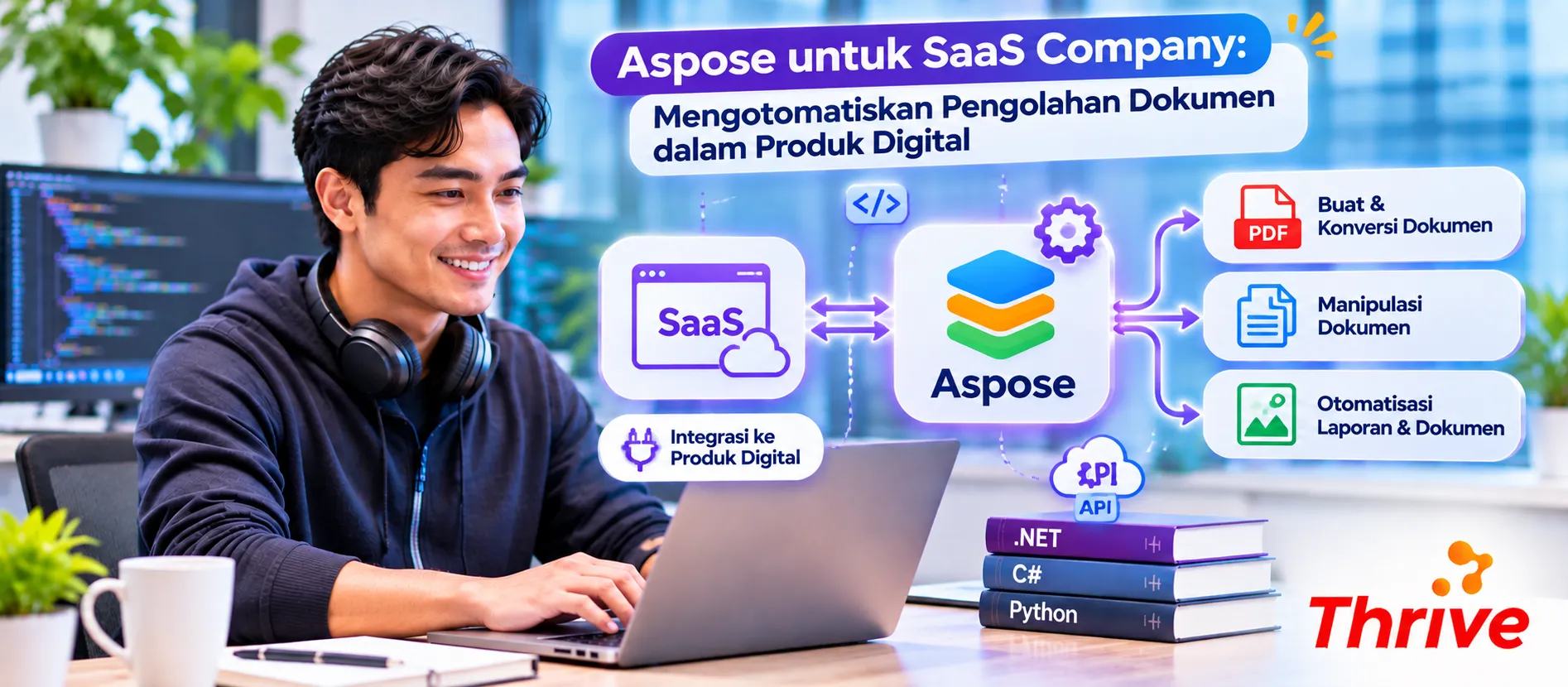
SaaS (Software as a Service) companies require systems capable of automated document processing so users can execute various processes directly from a digital platform. This automation helps reduce manual work, accelerate workflows, and support product scalability. Aspose is an API-based solution that can help developers integrate file processing capabilities into SaaS applications.
Why SaaS Companies Need Document Processing Automation?
SaaS companies provide cloud-based applications that customers use to perform various business activities. Many SaaS platforms require the ability to create, read, process, or convert documents.
Examples include HRIS platforms that generate employee documents, financial applications that create invoices, and project management systems that provide report export features.
As the number of users and document volume increases, file processing that still relies on manual processes can become a barrier to product growth.
What are the challenges of document processing in SaaS products?
Some common challenges faced by SaaS companies include:
Document volume increases:The more users there are, the more the system needs to process files.
Document formats vary:Users may require PDF, Word, Excel, PowerPoint, or other formats.
Workflow is not yet automated:Users must download, convert, or process documents using additional applications.
More complex feature development:Developers need to build their own file processing capabilities or integrate additional technologies.
Scalability requirements:The system must be able to support the growth in the number of users and document processing activities.
What are the Impacts of Non-Automated Document Processing?
Unintegrated document processing can impact the user experience and operational efficiency of SaaS companies.
The impacts include:
User productivity decreases:Users need to switch applications to complete document-related work.
Less than optimal usage experience:Product features become limited when file processing requirements are not readily available.
Developer load increases:The technical team needs to develop and maintain document processing functions independently.
Development costs increase:Building features from scratch can require additional time and resources.
Scalability is more challenging:Increasing document processing volumes requires good infrastructure planning and system management.
Therefore, SaaS companies need to consider using APIs that can be integrated into digital products to support document automation.
How Does Document Processing API Help SaaS Companies?
A document processing API is a programming interface that allows applications to perform document processing functions through program code. With an API, developers can add file processing capabilities to SaaS products without having to build the entire mechanism from scratch.
This approach allows various processes to run automatically according to the application flow.
Some of the needs that can be supported through the document processing API include:
Create documents based on user data.
Read and process files through the application.
Convert documents to supported formats.
Generate reports automatically.
Integrate file processing into application workflow.
For example, a SaaS platform for financial management can provide automatic invoice generation based on transaction data. Users can simply execute the process within the application without having to manually create documents using separate software.
How Aspose Helps Document Automation in SaaS Products?
Aspose is a family of API-based software products that provide the ability to work with a variety of file and document formats programmatically.
For SaaS companies, Aspose can be considered as a technology component to add document processing functionality to digital applications.
Developers can integrate available capabilities according to product needs, programming languages, platforms, and file formats used.
What Aspose capabilities are relevant for SaaS Companies?
Depending on the product and modules selected, some requirements to consider include:
Document Generation:Supports document creation through program code based on application data.
File Conversion:Supports conversion of specific file formats as per user requirements.
Document Processing:Helps applications process documents programmatically.
Data and Content Handling:Supports file content management through functions available in related products.
Application Integration:Enables document processing capabilities to become part of the digital product workflow.
These capabilities can help companies develop document features without making manual processes a major part of the user experience.
Please note that features, supported formats, programming languages, and licensing terms vary across Aspose products. Companies should evaluate technical documentation and licensing models before implementation, especially for SaaS products used by multiple customers.
What are Examples of Aspose Implementation in SaaS Products?
Document processing can be implemented on various types of SaaS platforms. Here are some examples of requirements to consider.
1. HRIS and Human Resources Platform
HRIS applications may require features to generate employee documents, administrative reports, or documents related to personnel processes.
With the right API integration, developers can build document creation workflows based on data stored in the system.
2. SaaS Accounting and Finance
Accounting and finance platforms require processing of documents such as invoices, financial reports, and transaction documents.
Automation can help reduce administrative work and make document creation processes more consistent.
3. Document Management System
Document management platforms require a variety of capabilities to manage user-uploaded files.
A document processing API can be part of a system to support the process of reading, processing, or converting files as needed by the application.
4. Project Management Software
Project management applications can provide features for exporting reports, creating project documents, and processing supporting files.
Document processing integration helps users get work done from one platform.
5. SaaS for Enterprise Needs
SaaS products used by large companies may have document processing needs with more complex volumes and workflows.
In this situation, developers need to design integrations that take into account performance, security, processing capacity, and deployment needs.
Who Needs a Document Automation Solution for SaaS?
Document processing API solutions can be considered by companies that develop or operate digital applications with file processing needs.
Some relevant parties include:
SaaS Founder dan Business Owner:Want to develop product features without excessively increasing process complexity.
CTO and IT Director:Requires technology components that support application development and scalability.
Software Development Manager:Manage integration needs and document feature development.
Developer and Software Engineer:Requires an API to process various file formats through program code.
Product Manager:Want to improve user experience through integrated document processing features.
Procurement:Responsible for evaluating software requirements and licensing to support product development.
What to Consider Before Choosing an Aspose License?
Before using Aspose, companies need to ensure the product they choose fits their technical needs and SaaS business model.
Here are some things to check:
File format requirements:Identify the file types to be processed by the application.
Programming language:Make sure the product supports the programming languages and frameworks the developer uses.
Platform deployment:Check compatibility with the development environment and application infrastructure.
Processing volume:Estimate the number of documents and processing activities that need to be supported.
SaaS usage model:Check the license terms for use in applications provided to customers or third parties.
Data security:Evaluate how documents are processed, stored, and managed to comply with company security policies.
Cost and scalability:Match licensing options to current usage needs and product growth plans.
Especially for Enterprise SaaS, the application's terms of use and distribution need to be carefully reviewed. Don't assume all license types can be used for every SaaS model or deployment.
How to Implement Document Automation in SaaS Products?
In order for implementation to run more smoothly, companies can follow the following stages:
Identify user needs:Determine which document processing features customers need most.
Map the application workflow:Identify when documents were created, uploaded, processed, or converted.
API product evaluation:Choose the Aspose product that suits your file format and technical needs.
Lakukan proof of concept:Integration testing on the development environment to ensure the functionality works as required.
Check the license terms:Ensure the license covers the SaaS usage model and application distribution scenarios.
Security and performance testing:Evaluate data management, processing capacity, and system behavior as the number of users increases.
Implementation and monitoring:Implement features gradually and monitor their performance after customer use.
With this evaluation process, companies can determine a more appropriate automation approach while reducing the risk of errors in technology selection.
Conclusion
Document processing is a critical requirement in SaaS product development. When this process is still performed manually or using separate applications, companies can face increased operational overhead, development complexity, and a less-than-optimal user experience.
Using a document processing API can help integrate file processing capabilities into digital products. Aspose is one solution worth considering to support these needs, while still maintaining technical compatibility and licensing terms.
If your company is looking for software solutions for SaaS development, document automation, or application integration, visit Katalog Software Thriveor use references Cari License Software.
The Thrive team is ready to help provide information and software licensing offers that suit your company's needs.
FAQ
1. What is the function of Aspose for SaaS companies?
Aspose provides APIs to help developers integrate processing capabilities for various file and document formats into SaaS products.
2. Can Aspose be used to automate document creation?
Aspose offers products with programmatic document processing and creation capabilities. The types of features available depend on the product and module used.
3. Why do SaaS Companies need Document Processing API?
The Document Processing API helps companies integrate file processing functions into applications, reduce manual processes, and support user workflows.
4. Is Aspose suitable for cloud-based SaaS applications?
Aspose can be considered for application development, but its platform compatibility and licensing terms need to be checked according to the deployment scenario.
5. What should I consider before purchasing an Aspose license for SaaS?
Companies need to evaluate file formats, programming languages, platforms, processing volumes, security requirements, and licensing terms for SaaS use.
Related Articles
Also read other interesting information from us

General
Transformasi Proses HR: Dari Rekrutmen hingga Onboarding dengan AI Automation
Mengapa AI Automation Mengubah Cara Kerja Divisi HR?AI Automation mampu mengotomatisasi proses HR mulai dari rekrutmen h...

General
Is Your Website Lonely? Learn SEO Strategies from the World's Greatest Sites
A website without visitors can be a nightmare for your business. However, the world's biggest sites like Amazon, Netflix...

General
Maximize Your Hotel's Profits with an Effective Digital Voucher System
In the competitive world of hospitality, looking for innovative ways to increase profits is the key to success. One stra...
Get Free Consultation
Discuss your company's IT needs with our customer support right now at
+62 822 9998 8870


