Article Oct 15, 2026, 07:25 AM
The Importance of OCR for Companies in Converting Scanned Documents into Digital Data
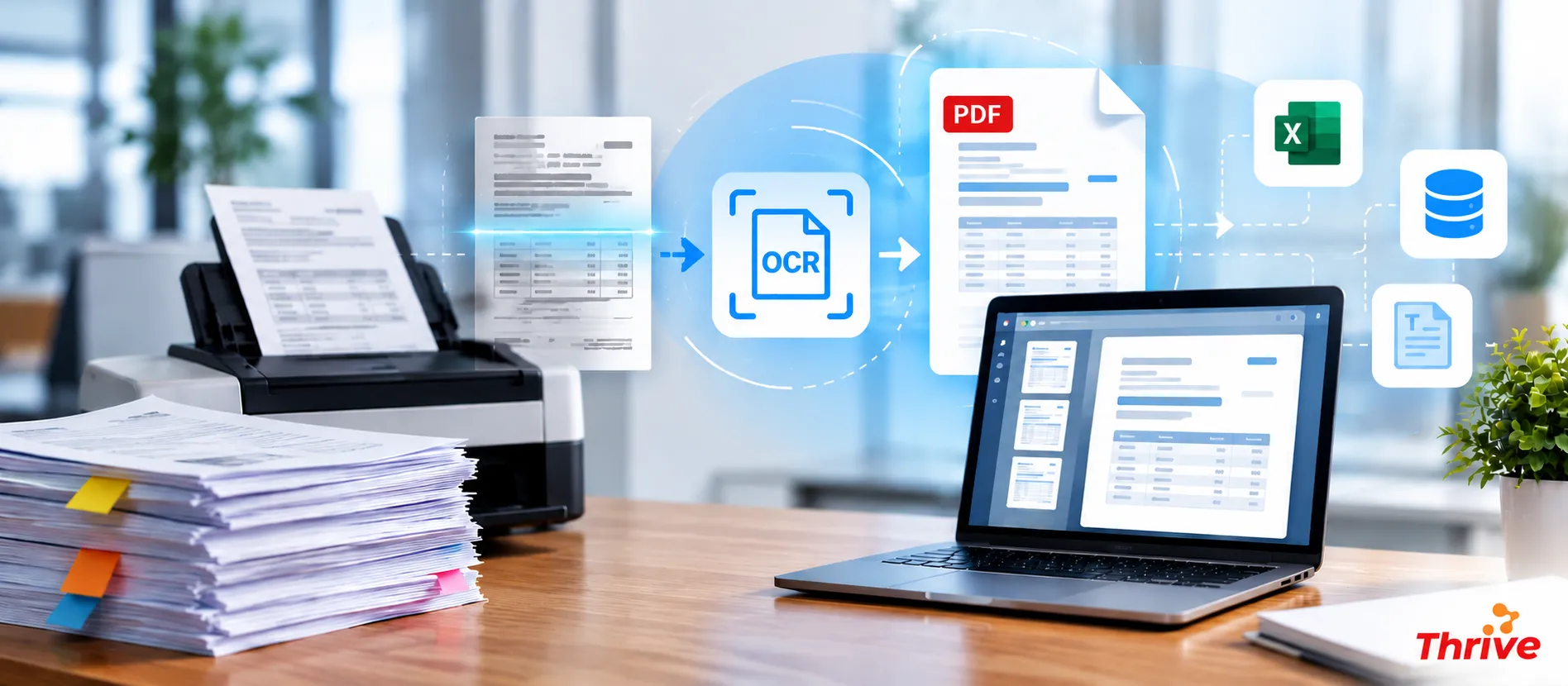
OCR (Optical Character Recognition) is a technology that recognizes text from scanned documents or images and then converts it into digital text that can be searched and processed. For companies, OCR can help speed up archive management, reduce manual data copying, and improve administrative efficiency. The selection of OCR software requires considering accuracy, security, compatibility, and the company's workflow needs.
Why Is Document Scanning a Challenge for Companies?
Scanned documents are often just images, so the text they contain cannot be directly searched or processed like regular digital text. As a result, employees must read each document individually and retype the necessary information.
This condition is common in companies that manage many invoices, forms, contracts, reports, or administrative documents.
Some challenges that frequently arise include:
Slow document search:Employees need to open files one by one to find certain information.
Repetitive data input:Information from documents must be manually transferred to spreadsheets or business applications.
Risk of error:Retyping may result in errors in names, dates, document numbers, or transaction amounts.
Decreased productivity:Time that should be used for analysis and main work is taken up by administration.
Archives are difficult to use:Information in old documents is difficult to find and reuse.
Operating costs increase:The more documents that need to be processed, the more time and effort it takes.
Companies can start researching solutions through Cari License Softwareto help identify software options relevant to operational needs.
What Is OCR and How Does It Work?
OCR is a technology that recognizes characters in scanned images or documents and converts them into digital text. The results can be used for searching, checking, or further processing, depending on the capabilities of the software used.
In general, the OCR process takes place through several stages:
Document input:Users upload scanned files or images of documents.
Picture introduction:The software analyzes the image and detects areas containing text.
Character introduction:The system identifies letters, numbers, and other characters.
Digital text formation:Recognized characters are converted into selectable or searchable text.
Check results:Users verify important information, especially numbers and sensitive data.
Advanced processing:If supported, text can be exported, classified, or forwarded to other systems.
For example, a company might receive a scanned invoice. OCR can recognize the information contained within, making it easier for the finance team to find the invoice number or verify the transaction value. If the company wants to automatically input the data into the financial system, additional data extraction, validation, and integration capabilities are typically required.
What are the Benefits of OCR for Companies?
OCR helps companies transform previously difficult-to-process documents into digital information that's easier to search and use. The actual benefits depend on the quality of the document, the accuracy of text recognition, and how the technology is integrated into the workflow.
1. Speed up information search
Documents that have been processed with OCR can have searchable text layers, so users don't always need to read each page manually.
For example, a legal team can search for specific words or numbers in an OCR-processed contract file, if the software supports such text searches.
2. Reduce manual input work
OCR can reduce the need to retype text from documents. This is useful for teams that handle many forms, invoices, transaction receipts, or reports.
However, OCR doesn't always produce data that's ready to use immediately. Proofreading is still necessary if the document is blurry, slanted, contains handwriting, or uses a complex layout.
3. Supports digitalization of archives
Companies can transform collections of physical documents into digital archives that are easier to search and manage. This can support archiving, auditing, and historical document retrieval.
4. Increase operational efficiency
By reducing time spent searching for and copying information, employees can allocate more time to work that requires analysis or decision-making.
5. Supports data processing consistency
When combined with validation rules, OCR can be part of a more structured process. For example, the system can help flag missing information or data that doesn't conform to a specified format.
6. Facilitates the development of automated workflows
The resulting OCR text can be used as input for further processing, such as document classification, specific information extraction, or data transfer to business applications. These capabilities require additional features and are not automatically available in all OCR software.
To evaluate software options that support digitalization needs, companies can access Cari License Software.
What Documents Can Be Processed Using OCR?
OCR can be used for a variety of documents containing printed text in image or scanned form. The type of document it can process and its accuracy depend on the file quality, language, layout, and software capabilities.
Some examples of its application are:
Finance:Invoices, receipts, proof of payment, and transaction documents.
Procurement:Supplier forms, bidding documents and procurement files.
Human Resources:Administrative forms and employee documents are processed in accordance with the privacy policy.
Legal:Contracts, agreements, and supporting documents for the inspection.
Operations:Reports, inspection forms, and work procedure documents.
Education and training:Printed materials, forms, and administrative documents.
Customer service:Application form or supporting documents received from the customer.
For documents containing sensitive information, companies need to implement access, storage, and retention arrangements according to internal policies.
What is the Difference Between OCR, PDF Editing, and Document Processing?
OCR, PDF editing, and document processing have complementary functions, but they are not identical. Understanding the differences helps companies choose the features they truly need.
OCR:Recognize text from scanned images or documents so that it can be searched or used digitally.
PDF editing:Change the content or structure of a PDF file according to the application's capabilities.
Document processing:Covers broader processes, such as document classification, data extraction, validation, and forwarding information to other systems.
For example, OCR can recognize text from scanned invoices. Data extraction features can then retrieve invoice numbers and transaction amounts, while integration with financial systems can pass this information on after validation.
Not all products provide all these capabilities in a single application. Companies should review product specifications and potential additional software requirements.
What to Consider Before Choosing OCR Software?
OCR software should be selected based on the document type, intended use, security requirements, and company workflow. Text recognition accuracy alone may not be sufficient if a company also requires data extraction or integration with other applications.
Consider the following factors.
Text recognition accuracy
Test the software with actual documents used by the company. Pay attention to the results for blurry images, tables, figures, multi-page documents, and required language.
Format and language support
Make sure the software can process the file format and language used. If the document contains many tables or columns, test whether the output maintains the required structure.
Export and integration
Check whether the OCR results can be exported to the required format. If the information needs to be fed into an ERP, CRM, or financial application, ensure the integration path is available.
Security and privacy
Evaluate how files are processed, stored, and accessed. Also, check whether documents are sent to cloud services and whether those settings align with company policies.
Licensing scheme and fees
Compare costs based on the number of users, document volume, features, and license term. Also factor in manual review requirements and additional integrations.
Ease of use
Choose a solution that fits the user's capabilities and does not add excessive operational complexity.
IT and procurement teams can conduct initial research through Cari License Software, then verify the specifications and license terms before making a purchase.
Can Ultimate Toolkit Be Used for OCR Needs?
Toolkit Ultimate can be considered as an evaluation option if its official features and specifications align with a company's needs. However, OCR features cannot be guaranteed based on the product name alone, so companies should verify documentation or information from the provider.
Before choosing the Ultimate Toolkit, check the following things:
Does the product provide OCR feature for scanned documents?
What languages and file formats are supported.
Can the OCR results be searched, copied, or exported?
Whether the software can maintain the required table structure or document layout.
Is data extraction or integration available if needed.
What are the licensing terms, compatibility, updates and technical support?
If a company's needs are simply to search for text from scanned documents, software with basic OCR functionality may be sufficient. However, if the company wants to extract invoice information and send it to a financial system, further evaluation of data extraction features and workflow integration is necessary.
To compare software options, visit Cari License Softwareor see katalog software Thrive.
How to Start OCR Implementation in Your Company?
OCR implementation should begin with a single document type with a high volume or the most time-consuming process. A phased approach allows companies to test accuracy and measure benefits before expanding use.
Here are the steps that can be taken:
Identify priority documents.Determine the types of documents that are processed most frequently, such as invoices or forms.
Map the current workflow.Record the time it takes to read, copy, check, and save documents.
Determine indicators of success.Use metrics such as processing time, error rate, and number of documents successfully processed.
Water OCR software.Use sample documents that represent real conditions.
Establish verification procedures.Define information that humans must verify before using it for business decisions.
Set up security and access.Ensure documents are processed according to company policy.
Evaluation of results.Compare performance after implementation with previous conditions and determine whether it needs to be expanded.
Companies also need to involve users from related divisions so that the chosen solution truly suits the work needs.
Conclusion
Scanned documents that aren't easily searchable or processable can add manual work, slow down information retrieval, and increase the risk of input errors. OCR technology helps convert text in images into digital data, while integration with document processing can support a more efficient workflow if the necessary features are available.
Before selecting Toolkit Ultimate or any other software, companies should verify its OCR features, accuracy, security, compatibility, and licensing terms. The Thrive team can help discuss software needs and licensing options that best suit their operations.
Start search through Cari License Softwareor visit katalog software Thrive.
FAQ about OCR for Enterprises
1. What is OCR and what are its benefits for companies?
OCR is a technology that recognizes text from images or scanned documents and converts it into digital text. This technology can facilitate document searching, reduce retyping, and support the digitization of archives.
2. Can OCR convert scanned documents into Excel data?
OCR can recognize text from scanned documents, but the results in Excel format depend on the software's capabilities. If your company requires structured tabular data, ensure the software supports table export or data extraction.
3. Are the OCR results always accurate?
No. Accuracy is affected by scan quality, text legibility, layout, language, and software capabilities. Important information such as transaction amounts, ID numbers, and dates should still be verified.
4. What is the difference between OCR and document processing?
OCR focuses on recognizing text from images or scans. Document processing encompasses broader processes, such as classification, information extraction, validation, and data forwarding to workflows or business systems.
5. Does Toolkit Ultimate have OCR feature?
OCR Toolkit Ultimate features should be confirmed through the product's official specifications or the provider's. Check format support, language support, output export, and integration capabilities before purchasing.
SEO Metadata
SEO Title: OCR for Enterprise: Turn Scanned Documents into Digital Documents
Meta Description: Learn the benefits of OCR for converting scanned documents into digital text, speeding up archive searches, and reducing manual input in the enterprise.
Suggested URL Slug: ocr-company-document-scan-digital-data
Primary Keyword: Cari Lisence Software
Secondary/Semantic Keywords:
OCR for enterprise
Optical Character Recognition
Software OCR
Convert scanned documents to text
Document digitization
Digital document processing
Document data extraction
Administration automation
Enterprise software licensing
Toolkit Ultimate
Search Intent: Informational, Commercial, Transactional
Target Persona: Business Owner, IT Manager, IT Director, Procurement, Finance Manager, Operations Manager, and corporate decision makers in Indonesia.
Suggested Internal Links:
5 FAQ Questions:
What is OCR and what are its benefits for companies?
Can OCR convert scanned documents into Excel data?
Are OCR results always accurate?
What is the difference between OCR and document processing?
Does Toolkit Ultimate have OCR feature?
Suggested CTA: Discuss your company's document digitization needs with the Thrive team to evaluate OCR features, document processing capabilities, and appropriate software licensing options.
Editorial note: Be sure to verify Toolkit Ultimate's OCR features from official sources before claiming the product supports OCR. Avoid promising specific savings without implementation data.
Related Articles
Also read other interesting information from us

General
Want to be more productive? These are the 5 best task management tools in 2025
In the midst of a busy work schedule, managing tasks efficiently is the key to success for every individual and team. Ta...

General
Slow Company Website on Mobile: A Technical Error Often Overlooked
Website speed on mobile devices is a crucial factor in user experience and online business performance. Many companies e...

General
Sage Accounting: Accounting Software with Automatic Banking Integration
Amid the increasing need for efficiency in business financial management, many companies are now looking for accounting...
Get Free Consultation
Discuss your company's IT needs with our customer support right now at
+62 822 9998 8870


