Artikel 25 Sep 2026, 01.37
PDF Converter hingga Browser Extension: Aplikasi Kecil Bisa Menjadi Risiko Besar bagi Perusahaan
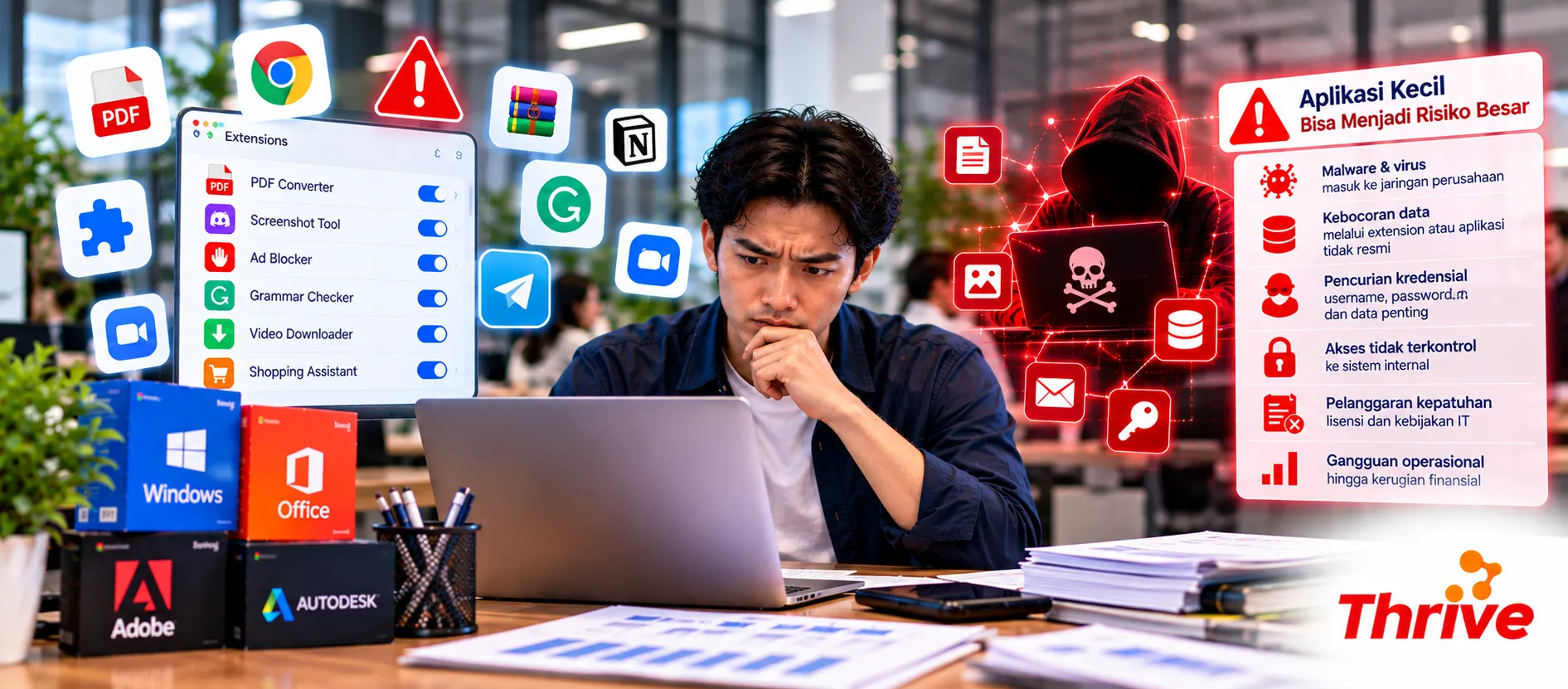
Mengubah PDF ke Word, mengompres dokumen, atau memasang browser extension mungkin terlihat seperti aktivitas biasa. Namun, pernahkah Anda memikirkan apa yang terjadi ketika karyawan mengunggah dokumen perusahaan ke aplikasi gratis yang tidak dikenal?
Aplikasi kecil yang digunakan tanpa pengawasan IT dapat menjadi celah kebocoran data, pencurian kredensial, hingga serangan malware.
Karena itu, penggunaan aplikasi resmi dan software asli murah, perlu menjadi bagian dari strategi keamanan digital perusahaan.
Kenapa Aplikasi Sederhana Bisa Membahayakan Perusahaan?
Risiko keamanan tidak selalu berasal dari aplikasi besar atau sistem perusahaan yang kompleks.
Aplikasi sederhana juga bisa menjadi pintu masuk ancaman melalui beberapa cara:
PDF converter online: Dokumen rahasia berpotensi tersimpan di server pihak ketiga.
Browser extension: Izin tertentu memungkinkan ekstensi membaca atau mengubah data pada website yang dikunjungi.
Aplikasi gratis tidak resmi: File instalasi berpotensi mengandung malware.
Software bajakan: Aktivator ilegal dapat membawa program berbahaya.
Aplikasi tanpa pembaruan: Kerentanan keamanan yang belum diperbaiki dapat dimanfaatkan penyerang.
Memilih software asli murah, dari penyedia terpercaya membantu perusahaan mengurangi risiko penggunaan aplikasi ilegal atau sumber unduhan yang tidak jelas.
Bagaimana Aplikasi Kecil Menjadi Celah Keamanan?
1. PDF Converter Online Bisa Mengekspos Dokumen Rahasia
Bayangkan tim finance mengunggah invoice, rekening bank, atau dokumen kontrak ke website PDF converter gratis.
Dokumen tersebut harus diproses oleh server penyedia layanan. Jika kebijakan penyimpanan dan penghapusan datanya tidak jelas, perusahaan kehilangan kendali atas informasi yang diunggah.
Solusinya adalah menggunakan aplikasi yang telah disetujui IT.
Dengan memilih software asli murah, perusahaan dapat mempertimbangkan PDF editor resmi yang mendukung pemrosesan dokumen secara lokal.
Untuk dokumen sensitif, hindari layanan online yang belum melalui evaluasi keamanan.
2. Browser Extension Memiliki Akses Lebih Besar dari yang Dibayangkan
Beberapa browser extension meminta izin untuk membaca dan mengubah data pada seluruh website yang dikunjungi.
Izin tersebut dapat mencakup halaman email, CRM, hingga aplikasi internal perusahaan.
Jika ekstensi berbahaya atau mengalami kompromi, informasi yang dapat diaksesnya berpotensi terekspos.
Sebelum memasang ekstensi, periksa pengembang, izin akses, dan kebijakan privasinya.
Penggunaan software asli murah, juga perlu dilengkapi kebijakan pengelolaan browser extension agar karyawan tidak memasang aplikasi sembarangan.
3. Software Bajakan Bisa Membawa Malware
Software bajakan sering membutuhkan crack atau aktivator yang meminta pengguna menonaktifkan antivirus.
Langkah ini berbahaya karena program tidak resmi dapat menjalankan kode dengan hak akses tinggi.
Dalam lingkungan perusahaan, satu perangkat yang terinfeksi berpotensi menjadi titik awal serangan terhadap sistem lain.
Berinvestasi pada software asli murah, membantu perusahaan memperoleh lisensi legal dan akses pembaruan resmi sesuai ketentuan vendor.
4. Shadow IT Membuat Aplikasi Sulit Diawasi
Shadow IT terjadi ketika karyawan menggunakan aplikasi atau layanan teknologi tanpa persetujuan tim IT.
Contohnya, tim marketing memasang 5 ekstensi berbeda untuk kebutuhan SEO, sementara tim administrasi menggunakan converter gratis untuk dokumen pelanggan.
Tanpa inventaris aplikasi, perusahaan sulit mengetahui layanan yang mengakses data bisnis.
Pengadaan software asli murah, sebaiknya dilakukan melalui proses persetujuan dan pencatatan lisensi yang terpusat.
Checklist Mengamankan Aplikasi di Lingkungan Kerja
Perusahaan tidak harus melarang semua aplikasi tambahan. Fokus utamanya adalah mengendalikan akses dan risiko.
Berikut langkah yang bisa langsung diterapkan:
Inventarisasi aplikasi dan ekstensi yang digunakan karyawan.
Periksa izin akses sebelum menyetujui instalasi.
Larang pengunggahan dokumen rahasia ke layanan yang belum disetujui.
Aktifkan pembaruan keamanan otomatis.
Batasi hak instalasi aplikasi pada perangkat perusahaan.
Lakukan evaluasi aplikasi minimal setiap 3–6 bulan.
Saat membeli software asli murah, pastikan perusahaan memperoleh lisensi sesuai kebutuhan pengguna dan perangkat.
Selain itu, penggunaan software asli murah, perlu didukung pengaturan akses, antivirus, dan edukasi keamanan karyawan.
FAQ
1. Apakah semua PDF converter online berbahaya?
Tidak. Risikonya bergantung pada keamanan penyedia, kebijakan penyimpanan data, dan jenis dokumen yang diproses. Untuk dokumen rahasia, gunakan aplikasi yang telah disetujui perusahaan.
2. Apakah browser extension dari toko resmi pasti aman?
Tidak selalu. Toko resmi memiliki proses pemeriksaan, tetapi ekstensi tetap perlu dievaluasi berdasarkan izin akses, reputasi pengembang, dan pembaruan keamanan.
3. Apakah software berlisensi resmi bebas malware?
Tidak ada software yang sepenuhnya bebas risiko. Namun, penggunaan software asli murah, dari sumber resmi mengurangi risiko yang berasal dari installer tidak terpercaya.
4. Bagaimana perusahaan mengetahui aplikasi yang digunakan karyawan?
Tim IT dapat menggunakan endpoint management atau software inventory untuk mendata aplikasi yang terpasang pada perangkat perusahaan.
5. Apakah aplikasi gratis boleh digunakan untuk pekerjaan kantor?
Boleh, selama lisensinya mengizinkan penggunaan komersial dan telah memenuhi kebijakan keamanan perusahaan. Alternatif software asli murah, dapat dipertimbangkan jika aplikasi gratis tidak memenuhi kebutuhan bisnis.
6. Apa yang harus dilakukan jika karyawan telanjur memasang aplikasi mencurigakan?
Hentikan penggunaannya dan segera laporkan kepada tim IT. Jika ditemukan indikasi kompromi, perangkat perlu diperiksa dan kredensial yang berpotensi terekspos harus diamankan.
Aplikasi Kecil Tetap Membutuhkan Pengawasan Besar
Keamanan perusahaan tidak hanya bergantung pada firewall atau antivirus. Aplikasi yang digunakan sehari-hari juga perlu mendapatkan perhatian.
Melalui kebijakan instalasi yang jelas, evaluasi akses, dan penggunaan software asli murah, perusahaan dapat membangun lingkungan kerja digital yang lebih aman tanpa menghambat produktivitas karyawan.
Artikel Terkait
Baca Juga Informasi Menarik Lainnya dari Kami

Umum
AI Automation Generasi Baru: Mengenal Peran Agentic AI dalam Transformasi Bisnis, Mengapa Semakin Penting?
Mengapa Agentic AI Menjadi Langkah Berikutnya?AI Automation kini mampu menjalankan proses sekaligus menganalisis data da...

Umum
5 Alasan Menggunakan Layanan Desain dan Pengembangan Web untuk Meningkatkan Bisnis Anda
Di era digital ini, memiliki website yang menarik dan fungsional adalah keharusan bagi setiap bisnis yang ingin berkemba...

Umum
Website Terbaik untuk E-Commerce: Desain, Keamanan, dan Fitur yang Harus Dimiliki
Membangun bisnis online yang sukses membutuhkan website e-commerce yang profesional, aman, dan memiliki fitur yang lengk...
Dapatkan Konsultasi Gratis
Diskusikan sekarang juga kebutuhan IT perusahaan Anda dengan customer support kami di
+62 822 9998 8870


