Article Oct 20, 2026, 04:32 AM
Automate Enterprise Architect Documentation with eaDocX and Get Up to 20% Off
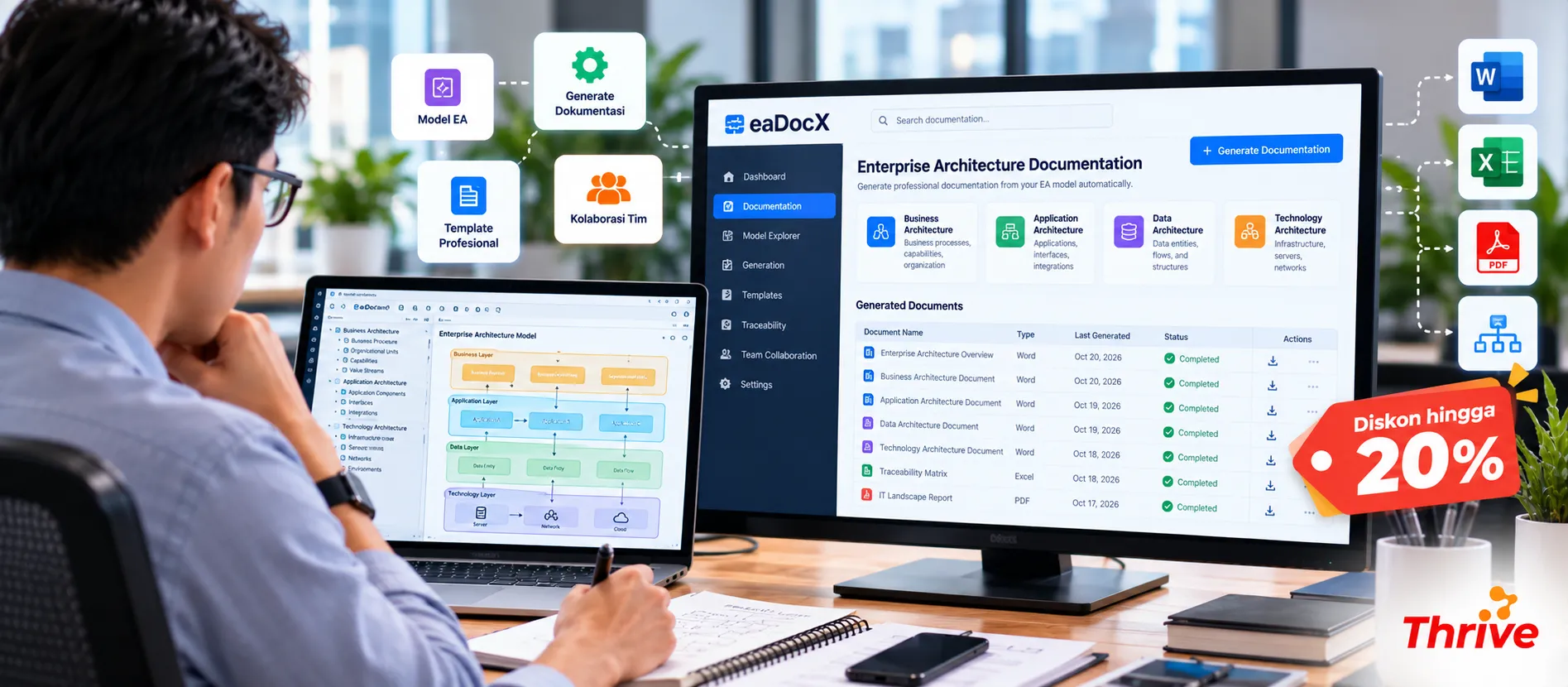
Manually documenting Enterprise Architecture can be time-consuming for IT teams, especially when system models change frequently and documents need to be updated regularly. Documentation automation helps reduce repetitive work and maintain information consistency. For companies using Sparx Systems Enterprise Architect,eaDocXcan help produce Microsoft Word documentation based on available models, so that the document preparation process becomes more efficient.
Why is Enterprise Architect Documentation Often Time-Consuming?
Accurate system documentation is essential to support application development, infrastructure management, auditing, and interdepartmental coordination. However, creating it can be challenging when teams must manually transfer information from system models to documents.
Some of the problems that companies frequently face include:
Recurring document updates:changes to the system model require the team to adjust the related documents.
Risk of inconsistent information:The contents of the document may differ from the latest system model.
Decreased team productivity:time that should be used for analysis and development is taken up by administrative work.
Difficulty maintaining documentation standards:each team member may have a different way of preparing documents.
The handover process becomes more difficult:Out-of-date documents can make it difficult for other teams to understand the system structure and design.
If this situation persists, companies risk delays in completing documentation and needing additional time to review information. Therefore, companies need to consider more efficient ways to manage technical documentation.
In the solution evaluation phase, the procurement and IT teams can begin Cari License Softwareto compare licensing requirements with the work processes you want to improve.
What Causes Inefficient System Documentation?
System documentation is often inefficient because its development process is separate from the architectural model, which is the primary source of information. When changes are made to the model, the separately created document may not be updated.
This situation becomes even more challenging in projects involving multiple diagrams, system elements, relationships, and stakeholders. The team must ensure that all included information remains relevant to the system's current state.
Another reason is the lack of a standardized documentation process. Without a consistent process, each project can produce different formats, levels of detail, and ways of presenting information.
Before selecting a solution, companies should identify the most time-consuming areas of documentation. For example, are the main challenges related to developing design documents, updating architecture reports, or adjusting documentation after model changes?
How Documentation Automation Software Helps Companies?
Documentation automation software helps reduce manual work by generating documents based on pre-defined data sources or models. This approach can promote documentation consistency, speed up the update process, and free up time for teams to focus on technical work.
The benefits that companies can obtain include:
Operational efficiency:reducing the need to manually copy information.
Documentation consistency:using more controlled information sources and document structures.
Ease of updating:helps reproduce documents when the model changes.
Team productivity:reduce repetitive administrative work.
Collaboration support:facilitate the provision of documentation for IT teams, management, and relevant stakeholders.
The extent of the benefits still depends on the completeness of the model, the complexity of the project, the software configuration, and the validation processes implemented by the company.
For companies that are evaluating options Cari License Software, it is important to assess not only the license price, but also the work time that can be saved and the software's compatibility with existing systems.
What Is eaDocX and How Does It Work?
eaDocX is software that helps generate Microsoft Word documentation based on the Sparx Systems Enterprise Architect model. This solution is suitable for organizations already using Enterprise Architect and looking to reduce manual work in technical document creation.
In general, the usage flow involves the following stages:
Preparing the model:The team ensures that the models in Enterprise Architect have relevant and sufficiently complete information.
Determining documentation needs:The team identifies the types of documents and information that need to be presented.
Managing the document creation process:Configuration is carried out according to the capabilities of the version and license of eaDocX used.
Generating documents:Information from the model is used to help compile Microsoft Word documentation.
Checking the results:The team reviews the contents of the document, ensures the accuracy of the information, and makes adjustments if necessary.
This flow helps connect architectural models with the required documentation. However, automation doesn't replace the team's responsibility to maintain model quality and validate the resulting documentation.
Companies that want to Cari License SoftwareIt is best to first ensure that the software selected supports the work environment, documentation needs, and the version of Enterprise Architect used.
Relevant eaDocX Capabilities for IT Documentation
eaDocX's primary value lies in its ability to generate Word documents based on Enterprise Architect model information. Available capabilities and usage limitations should be checked based on the version and license purchased.
Some relevant aspects to evaluate include:
Model-based document creation:help compile documentation from the information available in Enterprise Architect.
Reduction of manual copying:reducing the need to move model information one by one to documents.
Documentation updates:helps regenerate documents when model information changes.
Document requirements adjustment:evaluate the configuration options and documentation formats available in the respective versions.
Support for architectural workflows:linking modeling work with documentation presentation needs.
Before implementation, companies should verify the capabilities, technical requirements, and usage rights details based on official vendor information. Don't assume all capabilities are available with each license package.
What are some examples of eaDocX use cases in companies?
eaDocX can be considered for various documentation needs in teams using Enterprise Architect.
1. Enterprise architecture documentation
The Enterprise Architecture team can use it to help produce documents that describe the model and relationships between parts of the system.
2. System design documentation
The development team or system architect can consider it to reduce the work of preparing documents based on the models that have been created.
3. Documentation of digital transformation projects
On projects involving system changes, model-based documentation can help teams provide architectural information for coordination and review needs.
4. Documentation for project handover
Consistently prepared documents can help operational teams and system managers understand the designs that have been created, as long as the information in the models and documents has been verified.
To measure implementation results, companies can compare document preparation time before and after automation, the frequency of corrections, and the time required to update documentation after model changes.
Who is eaDocX Suitable for?
eaDocX is especially suitable for organizations that already use Sparx Systems Enterprise Architect and have model-based documentation needs.
Users who can consider it include:
IT Manager dan IT Directorwho want to improve the efficiency of the system documentation process.
Enterprise Architectwho need to produce documentation based on architectural models.
Software development teamwhich requires technical documents as part of project management.
IT consultant teamwho handles architectural projects and documentation for clients.
Project Managerwhich requires structured documentation to support coordination and handover.
Conversely, companies not using Enterprise Architect need to evaluate whether eaDocX fits their technical environment. This software is not a universal solution for all documentation platforms.
What to Consider Before Purchasing an eaDocX License?
Before making a purchase, companies need to ensure the product's suitability to technical requirements, budget, and internal procurement policies.
Here are some things you should check:
System compatibility:ensure that the Enterprise Architect version and the company's working environment meet the product requirements.
User requirements:determine who will use the software and how many licenses are required.
Features and packages:verify the capabilities available on the version or license package offered.
License validity period:ensure the duration and terms of use meet the company's needs.
Budget:compare licensing costs with potential time and operational cost efficiencies.
Support and implementation:ask about the availability of technical assistance and the limits of the services included in the offer.
Document validation:prepare the audit process so that the resulting documents remain accurate and relevant.
The procurement team can start Cari License Softwareto review licensing options before requesting a quote that fits your organization's needs.
How to Implement eaDocX More Effectively?
Effective implementation starts with business needs, not just software installation. Companies need to ensure that automation addresses the documentation challenges their teams are actually experiencing.
Steps that can be taken include:
Map the current process.Identify the documents that are most frequently created or updated manually.
Set priorities.Choose one type of documentation that is most relevant to be the starting project.
Evaluation of licenses and technical requirements.Make sure the product version and system environment match.
Test on limited projects.Use representative models to assess the quality of documentation results.
Set validation standards.Determine the party responsible for checking the accuracy and completeness of documents.
Evaluation of results.Compare turnaround time, number of corrections, and ease of updating before deciding on wider use.
With these stages, companies can evaluate the benefits more measurably before expanding the use of the software to other projects.
Get eaDocX Deals with Up to 20% Off
Documentation automation can be a strategic step to reduce manual work, maintain information consistency, and increase IT team productivity. For companies using Enterprise Architect, eaDocX is worth considering as a solution to assist with the process of creating model-based Microsoft Word documentation.
Companies that want to Cari License Softwarecan start by identifying user needs, checking the suitability of licensing packages, and comparing available offers.
Thrive can help companies discuss software licensing needs and evaluate options that fit their work environment.Discount offers up to 20% are available for certain products., with availability, final price, and promotional terms needing to be confirmed when requesting a quotation.
To determine the right solution, consult the documentation needs and number of users first so that the offer can be tailored to the company's needs.
FAQ about eaDocX
1. What is eaDocX?
eaDocX is software for producing Microsoft Word documentation based on the Sparx Systems Enterprise Architect model. It's primarily aimed at Enterprise Architect users who want to reduce manual work in document creation.
2. Can eaDocX help speed up IT documentation?
Yes, eaDocX can help reduce the work of copying information from models to documents. Actual efficiency depends on the completeness of the model, the complexity of the documentation, the configuration, and the results review process.
3. Is eaDocX suitable for companies that are not yet using Enterprise Architect?
eaDocX is primarily intended for Sparx Systems Enterprise Architect-based workflows. Companies using other platforms should check product compatibility before purchasing a license.
4. What should I pay attention to before purchasing an eaDocX license?
Check version compatibility, number of users, selected package capabilities, license expiration, budget, and available support. Also, ensure the product complies with the company's documentation process.
5. How to get eaDocX license information and discounts up to 20%?
Companies can contact the Thrive team to discuss licensing needs and request a quotation. Discounts of up to 20% are available depending on product availability and promotional terms and conditions at the time of the offer.
Related Articles
Also read other interesting information from us

General
Build a Professional Website with AI Faster and Lower Cost: Is It Really Effective for Business?
Quick Summary Before You BeginAI helps speed up website creation by up to 50–80% compared to manual workflows.Website co...

General
Keep your Wi-Fi devices, cash registers, and small servers running during power outages with ET PowerShield.
In today's digital age, the continued operation of devices like Wi-Fi, cash registers, and small servers is crucial for...

General
Lag Free: 10 Must-Have Apps for an Efficient Laptop
In this fast-paced world, having a responsive and efficient laptop has become very important to carry out daily tasks wi...
Get Free Consultation
Discuss your company's IT needs with our customer support right now at
+62 822 9998 8870


