Artikel 16 Sep 2026, 02.25
Dokumen Legal Makin Menumpuk? Begini Cara Mengelolanya Tanpa Cari File Satu per Satu
Apa yang Bisa Dibuat Otomatis?
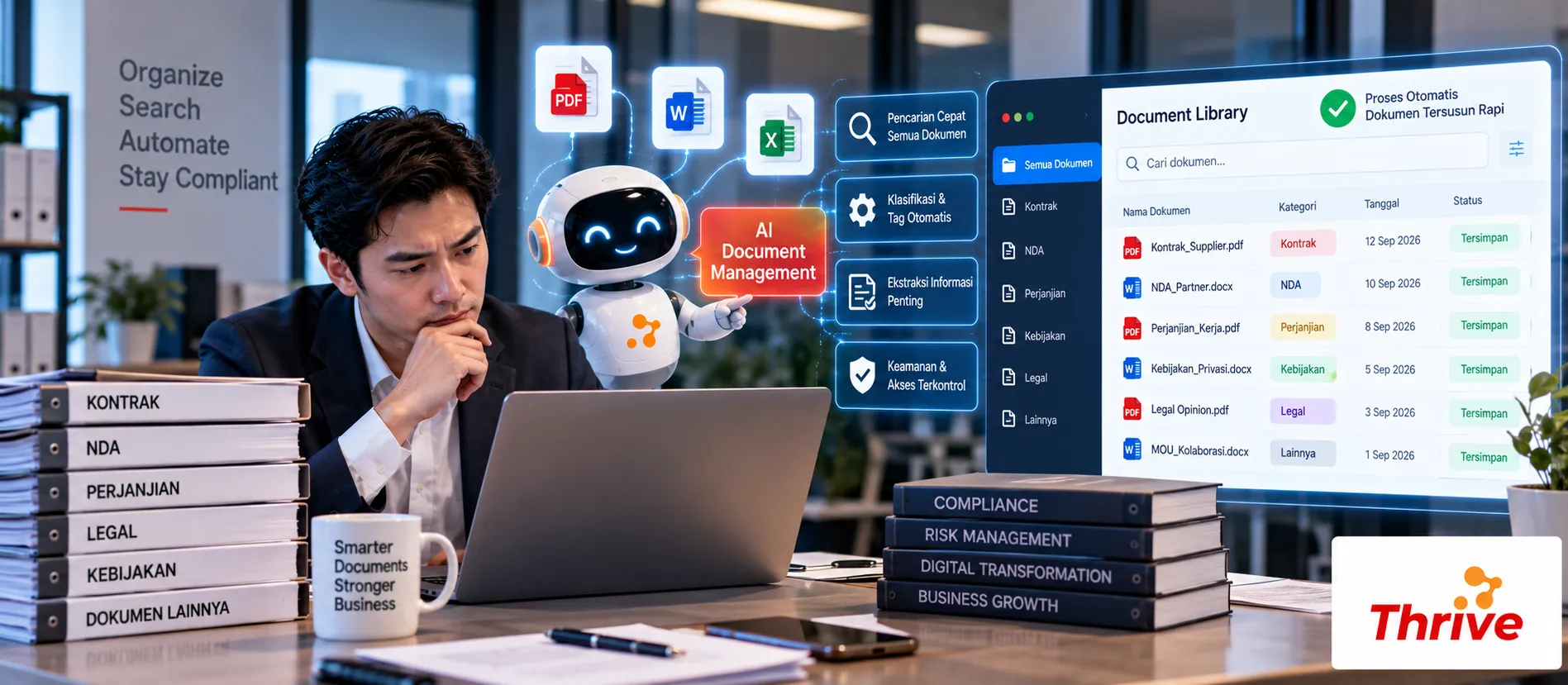
AI Automation dapat membantu perusahaan mengelola dokumen Legal secara lebih terstruktur, mulai dari membaca file, mengklasifikasikan dokumen, mencari informasi, memantau masa berlaku, hingga mencatat aktivitas pengguna.
Klasifikasi otomatis berdasarkan jenis dokumen, seperti kontrak, NDA, addendum, atau compliance document.
Ekstraksi metadata seperti nama pihak, tanggal kontrak, nilai, expiry date, dan nomor dokumen.
Pencarian informasi tanpa membuka file satu per satu.
Reminder otomatis sebelum dokumen atau kontrak kedaluwarsa.
Audit trail untuk mengetahui siapa yang mengakses atau mengubah dokumen.
Misalnya perusahaan memiliki 3.000 dokumen Legal. Jika setiap pencarian membutuhkan 3 menit, pencarian manual dapat menghabiskan sekitar 150 jam untuk 3.000 dokumen. Dengan AI Automation, proses pencarian dan pengelolaan dapat dibuat jauh lebih terstruktur.
Dari Folder Berantakan Menjadi Repository Legal yang Terorganisir
Masalah document management biasanya bukan sekadar jumlah file. Nama file tidak konsisten, dokumen tersimpan di berbagai folder, dan informasi penting seperti expiry date sering hanya ada di dalam isi dokumen.
Dengan AI Automation, dokumen dapat diproses menjadi data terstruktur sehingga lebih mudah dicari dan dipantau.
1. Klasifikasi Dokumen Secara Otomatis
Workflow dapat dimulai seperti ini:
Upload → Text Extraction/OCR → Document Classification → Metadata Extraction → Repository
Misalnya sistem menerima 100 file baru. Dokumen dapat dikelompokkan menjadi:
50 Contract
20 NDA
15 Addendum
10 Compliance Document
5 Other
Klasifikasi membuat pencarian berikutnya lebih cepat karena dokumen sudah memiliki kategori.
2. Ekstrak Metadata Penting
Dokumen Legal biasanya memiliki informasi yang berulang.
Contohnya:
Contract Number → Parties → Effective Date → Expiry Date → Contract Value → Renewal Terms
Dengan AI Automation, informasi tersebut dapat diambil dari dokumen dan disimpan ke database.
Misalnya kontrak memiliki masa berlaku 12 bulan dengan notice period 30 hari. Data tersebut dapat digunakan untuk membuat reminder sebelum kontrak berakhir.
3. Pantau Expiry dan Renewal
Monitoring tanggal penting menjadi salah satu use case yang paling praktis.
Contohnya:
H-90 → Renewal Reminder
H-30 → Urgent Reminder
H-7 → Escalation
H+1 → Expired Review
Dengan AI Automation, notifikasi dapat dikirim ke Legal atau PIC terkait berdasarkan status dokumen.
Hal ini mengurangi risiko kontrak terlewat hanya karena tanggal penting masih tersimpan di dalam PDF.
4. Buat Pencarian yang Lebih Cerdas
User tidak selalu tahu nama file yang dicari.
Misalnya Legal ingin menemukan:
“Semua kontrak vendor yang akan berakhir dalam 60 hari.”
Sistem dapat menggunakan metadata seperti vendor dan expiry date untuk menyaring dokumen.
Untuk pencarian isi, semantic search juga dapat membantu menemukan klausul berdasarkan konteks, bukan hanya keyword.
5. Simpan Audit Trail
Dokumen Legal membutuhkan kontrol yang jelas.
Aktivitas seperti:
Upload → View → Download → Edit → Approve → Archive
sebaiknya tercatat.
Dengan AI Automation, workflow dapat mencatat aktivitas tersebut sehingga tim dapat mengetahui siapa melakukan apa dan kapan aktivitas dilakukan.
Role-based access juga penting. Dokumen kontrak tertentu mungkin hanya boleh diakses Legal, sementara dokumen lain dapat dibuka oleh Procurement atau Finance.
Apa yang Perlu Disiapkan Sebelum Mulai?
Kelompokkan dokumen berdasarkan jenis.
Tentukan metadata wajib.
Pisahkan dokumen aktif dan expired.
Siapkan OCR untuk PDF hasil scan.
Tentukan H-90, H-30, dan H-7 sebagai contoh reminder.
Buat permission berdasarkan role.
Tentukan siapa PIC setiap dokumen.
Simpan audit trail aktivitas.
Hubungkan repository dengan sistem terkait jika diperlukan.
Mulai dari 100–500 dokumen sebagai tahap pilot.
Gunakan software legal untuk perusahaan dan software berlisensi resmi.
Target akhirnya bukan sekadar memiliki tempat penyimpanan baru. Repository Legal harus membuat dokumen lebih mudah ditemukan, lebih mudah dipantau, dan lebih aman dikelola.
FAQ
1. Apa fungsi AI Document Management untuk Legal?
Untuk membantu klasifikasi, ekstraksi data, pencarian, expiry monitoring, notifikasi, dan audit trail dokumen.
2. Apakah dokumen PDF bisa diproses?
Bisa. PDF digital dapat diekstrak langsung, sedangkan PDF hasil scan membutuhkan OCR.
3. Apakah AI bisa mengetahui tanggal kontrak berakhir?
Bisa, jika informasi expiry date tersedia dan dapat diekstrak dari dokumen.
4. Apakah reminder expiry bisa dikirim otomatis?
Bisa. AI Automation dapat menjalankan reminder berdasarkan tanggal dan threshold yang ditentukan.
5. Bagaimana jika dokumen tersimpan di banyak folder?
Dokumen dapat dikumpulkan ke repository terpusat atau dihubungkan melalui workflow dan integrasi yang sesuai.
6. Apakah semua user bisa melihat dokumen Legal?
Tidak harus. Access control dapat membatasi dokumen berdasarkan role, department, atau permission tertentu.
7. Apakah AI bisa mencari isi dokumen?
Bisa. Sistem dapat melakukan keyword search maupun semantic search untuk menemukan informasi dan klausul yang relevan.
8. Apakah aktivitas dokumen bisa dilacak?
Bisa. Audit trail dapat mencatat aktivitas seperti upload, akses, perubahan, approval, dan download sesuai konfigurasi sistem.
Artikel Terkait
Baca Juga Informasi Menarik Lainnya dari Kami

Umum
Dapat Tawaran Pinjaman tapi Ditolak Bank? Bisa Jadi Masalah Akuntansi
Banyak pelaku usaha merasa optimis ketika mendapat tawaran pinjaman untuk mengembangkan bisnis, namun kemudian kecewa sa...

Umum
Menghindari Denda Pajak dengan Sistem Keuangan Otomatis
Menghindari denda pajak adalah prioritas penting bagi setiap pelaku usaha yang ingin menjaga stabilitas dan reputasi bis...

Umum
Mengapa Design UX UI yang Menarik Penting dalam Era Digital
Di era digital yang berkembang pesat saat ini, pengalaman pengguna (UX) dan antarmuka pengguna (UI) telah menjadi faktor...
Dapatkan Konsultasi Gratis
Diskusikan sekarang juga kebutuhan IT perusahaan Anda dengan customer support kami di
+62 822 9998 8870


