Artikel 18 Jun 2026, 06.18
Cara Membuat Website dengan AI Tanpa Coding untuk Bisnis dan UMKM, Emang Semudah Itu?
Hal Penting yang Perlu Kamu Tahu
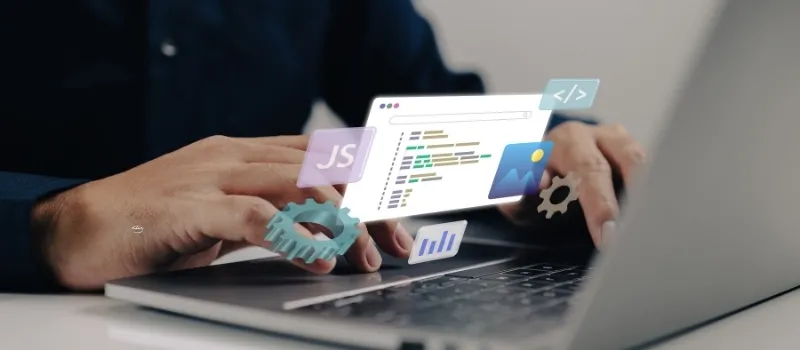
Sekarang website bisa dibuat tanpa coding menggunakan AI website builder.
Proses pembuatan website bisa selesai dalam 1–7 hari tergantung kebutuhan.
Cocok untuk UMKM, bisnis jasa, startup, toko online sederhana, dan company profile.
AI membantu membuat desain, struktur halaman, dan copywriting otomatis.
Untuk hasil yang lebih profesional dan siap marketing, banyak bisnis tetap memakai jasa buat website.
Benarkah Sekarang Bisa Membuat Website Tanpa Coding?
Jawabannya: bisa.
Beberapa tahun lalu membuat website identik dengan coding, developer, revisi panjang, dan biaya mahal. Sekarang prosesnya jauh lebih sederhana karena adanya AI website builder dan no-code platform.
User cukup:
memilih jenis bisnis
memasukkan nama brand
menjelaskan layanan
memilih warna dan gaya desain
Setelah itu AI akan membantu membuat:
homepage
halaman layanan
CTA
struktur menu
copywriting dasar
tampilan mobile
Dalam beberapa kasus, website sederhana bahkan bisa selesai dalam waktu kurang dari 1 jam.
Karena prosesnya cepat, biaya pembuatan website juga menjadi lebih efisien. Inilah alasan banyak UMKM mulai menggunakan jasa buat website yang sudah menggabungkan AI workflow.
Tools AI yang Paling Sering Dipakai
1. Wix AI Website Builder
Wix cocok untuk pemula karena tampilannya sederhana dan mudah dipahami.
Kelebihan:
drag-and-drop
template banyak
setup cepat
mobile responsive otomatis
Cocok untuk:
UMKM
bisnis jasa
personal brand
company profile
Namun untuk SEO dan struktur conversion, banyak bisnis tetap memakai jasa buat website.
2. Hostinger AI Builder
Hostinger populer karena murah dan praktis.
AI membantu membuat:
layout website
copy dasar
struktur halaman
CTA sederhana
Ini cocok untuk bisnis kecil yang ingin cepat online tanpa proses teknis rumit.
3. Framer AI
Framer lebih cocok untuk startup atau bisnis yang ingin desain modern.
Kelebihannya:
tampilan premium
animasi halus
loading cepat
Landing page startup dan campaign digital sering memakai Framer karena tampilannya lebih modern dibanding builder biasa.
4. Webflow AI
Webflow lebih advanced dan fleksibel.
Biasanya dipakai untuk:
blog SEO
landing page
company profile modern
website startup
Namun learning curve-nya lebih tinggi dibanding tools lain.
Kenapa Banyak UMKM Sekarang Mulai Pakai AI?
Karena AI membantu menghemat:
waktu
biaya
revisi
proses desain
Dulu membuat website bisa memakan waktu berminggu-minggu. Sekarang bisnis bisa launching lebih cepat dan mulai menjalankan marketing lebih awal.
Untuk UMKM, ini sangat penting karena budget biasanya terbatas.
Namun ada satu hal yang perlu dipahami:
website yang “jadi” belum tentu website yang efektif.
Karena itu banyak owner bisnis tetap menggunakan jasa buat website untuk memastikan:
SEO rapi
CTA jelas
loading cepat
desain tidak terlihat template
website siap menghasilkan leads
Kesalahan yang Sering Terjadi Saat Membuat Website AI
Banyak bisnis terlalu fokus pada desain, tetapi lupa pada fungsi website.
Contoh masalah yang sering muncul:
copy terlalu umum
CTA tidak jelas
halaman terlalu ramai
struktur heading berantakan
website lambat
tidak mobile-friendly
Padahal hal-hal ini sangat mempengaruhi conversion dan trust calon customer.
Karena itu kombinasi AI dan jasa buat website sekarang menjadi workflow yang paling banyak dipakai bisnis kecil.
Website Tanpa Coding Tetap Harus Profesional
Calon customer biasanya mengecek website sebelum:
menghubungi sales
meminta proposal
melakukan pembelian
booking meeting
Jika website terlihat asal jadi, trust bisa langsung turun.
Karena itu meskipun memakai AI, website tetap harus:
mudah dipahami
cepat dibuka
nyaman di mobile
punya CTA jelas
terlihat profesional
Hal seperti ini biasanya menjadi fokus utama jasa buat website.
Checklist Sebelum Membuat Website AI
Tentukan tujuan website sejak awal.
Gunakan desain yang sederhana dan jelas.
Fokus pada mobile version.
Jangan terlalu banyak animasi.
Gunakan CTA di setiap halaman.
Pastikan loading website cepat.
Gunakan domain profesional.
Optimasi SEO dasar sejak awal.
Integrasikan WhatsApp dan analytics.
Gunakan jasa buat website jika website dipakai untuk branding serius.
AI mempercepat proses, tetapi strategi tetap penting.
Website harus membantu menghasilkan leads.
Kombinasi AI dan jasa buat website biasanya lebih efektif untuk bisnis jangka panjang.
FAQ
Apakah benar website bisa dibuat tanpa coding?
Bisa. Banyak AI website builder sekarang menggunakan sistem drag-and-drop dan otomatisasi desain.
Apakah website AI cocok untuk UMKM?
Sangat cocok, terutama untuk bisnis yang ingin cepat online dengan budget lebih efisien.
Berapa lama membuat website dengan AI?
Untuk website sederhana biasanya bisa selesai dalam 1–7 hari tergantung revisi dan kebutuhan konten.
Apakah website AI bisa ranking di Google?
Bisa, selama struktur SEO, heading, dan kecepatan website dioptimalkan dengan benar.
Kapan bisnis sebaiknya menggunakan jasa profesional?
Saat website dipakai untuk branding, ads campaign, dan kebutuhan scale bisnis. Dalam kondisi ini, jasa buat website biasanya lebih efektif dibanding hanya memakai AI builder.
Artikel Terkait
Baca Juga Informasi Menarik Lainnya dari Kami

Umum
Employee Offboarding dengan AI: Bagaimana Membuat Proses Karyawan Keluar Lebih Terstruktur?
Karyawan Keluar, Proses HR Tidak Boleh Ikut BerantakanEmployee offboarding membutuhkan koordinasi antara HR, IT, Finance...

Umum
Mengapa Industri Pertambangan Membutuhkan Akses Internet Global?
Industri pertambangan beroperasi di lokasi yang sering kali jauh dari jangkauan infrastruktur komunikasi tradisiona...

Umum
BOC Resmi Jadi Beyond Ordinary Cloud, Tingkatkan Solusi Cloud Hosting AI & Hosting n8n
BOC, yang sebelumnya dikenal sebagai Bali Orange Communication, perusahaan penyedia layanan Hosting Indonesia dan solusi...
Dapatkan Konsultasi Gratis
Diskusikan sekarang juga kebutuhan IT perusahaan Anda dengan customer support kami di
+62 822 9998 8870


