Article Nov 4, 2026, 08:17 AM
How Aspose Helps Developers Reduce Manual Document Processing
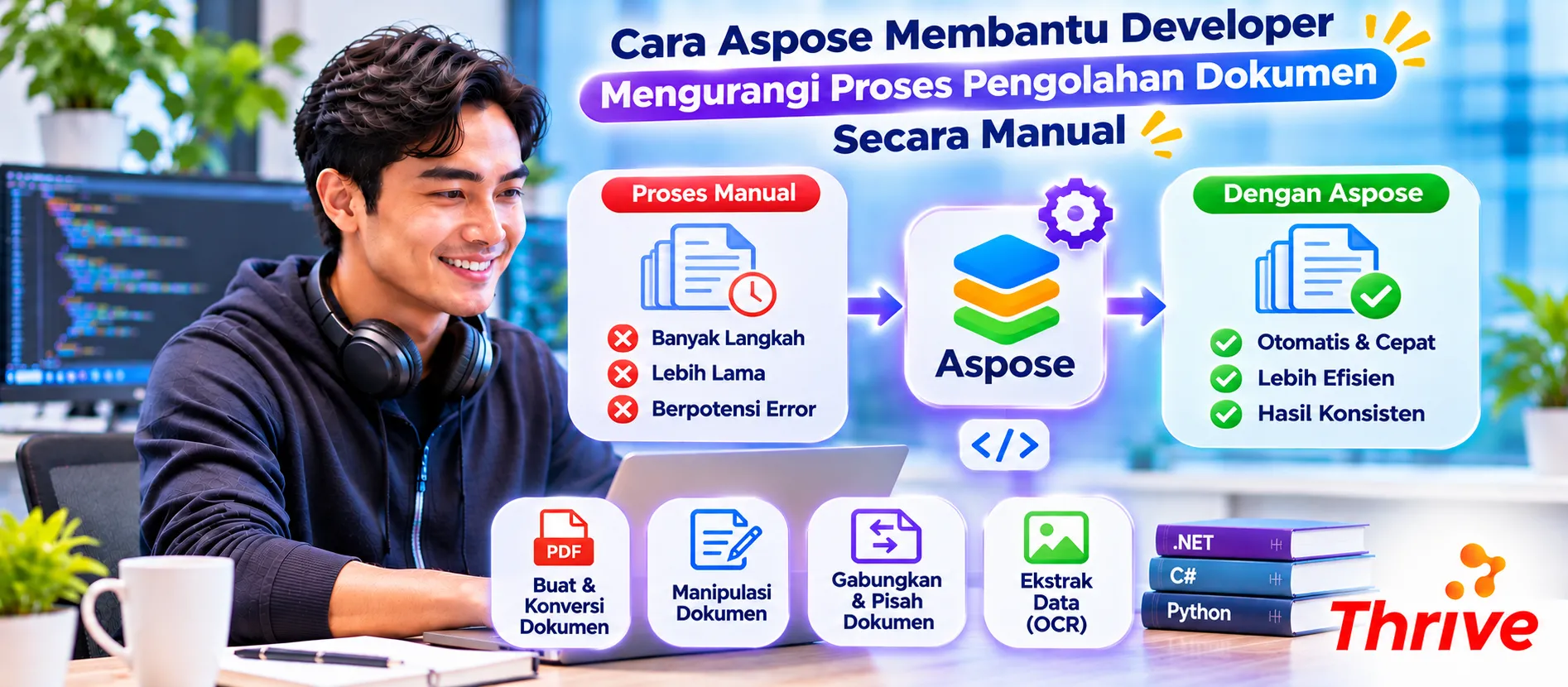
Developers often face repetitive tasks when processing documents, from creating files and reading content to converting between formats. These processes can be automated by integrating document processing APIs into applications. Aspose is an API-based solution that can help developers add programmatic file processing capabilities, making application workflows more efficient.
Why is Manual Document Processing a Challenge for Developers?
Manual document processing becomes challenging when applications have to handle multiple files, multiple formats, and repetitive processes. Developers must not only build the application's core functionality but also ensure that documents can be processed according to user requirements.
In software development projects, some document processing tasks that are frequently performed include:
Create documents based on data from the application.
Change file format according to user needs.
Read and retrieve information from documents.
Prepare reports periodically.
Processing user uploaded files.
Integrate documents with other systems.
If each process requires manual handling or development of separate functions, the work of the development team can become increasingly complex.
What is the reason that document processing is still done manually?
Some factors that can cause this condition are:
API integration not yet available:The application does not yet have an integrated file processing function.
Various file formats:Each type of document may require a different processing mechanism.
Workflow is not yet automated:The process of document creation and conversion still depends on user actions.
Application capability limitations:Document processing features are not yet part of the developed system.
Using separate tools:Developers or users have to switch applications to get work done.
What is the Impact of Manual Document Processing on Business?
Repetitive document processing can increase operational burdens and reduce the time available for more strategic development work.
The impact can be felt by the technical team and the company as a whole.
Developer productivity decreases:Development time is used to handle repetitive file processing work.
Operating costs increase:Companies need additional resources to manage document processes.
The risk of error increases:Manual processes can potentially lead to formatting, input, or file selection errors.
Feature development slows down:The team needs to divide focus between the application's core functions and document processing.
Scalability is more difficult:The increasing number of documents requires a more structured processing mechanism.
Therefore, companies need to consider document processing automation as part of their application development strategy.
How Does the Document Processing API Reduce Manual Work?
A document processing API is a technology that enables applications to perform document processing functions through program code. Developers can integrate these functions into applications to automate certain processes based on predetermined workflows.
For example, when a user uploads a file, the application can run the processing as needed without requiring the developer to perform each step manually.
Some of the needs that can be supported by the document processing API include:
Document Generation:Automatically create documents based on application data.
File Conversion:Convert files to other supported formats.
Document Processing:Process documents through functions available on the API.
Content Handling:Manage document content programmatically.
Workflow Integration:Connecting file processing with application workflow.
With this approach, developers can focus more on developing core features, system integration, and improving the user experience.
How Does Aspose Help Developers Automate Document Processing?
Aspose is a family of API-based software products that provide the ability to work with a variety of file and document formats programmatically.
Aspose can help developers integrate file processing functionality into applications without having to build the entire document processing mechanism from scratch.
What Aspose capabilities are relevant for developers?
Depending on the product and modules selected, Aspose capabilities can be used to support needs such as:
Document creation:Generate documents through program code based on available data.
File conversion:Supports the process of changing certain document formats.
Document processing:Perform file processing operations via API.
Application integration:Adding document processing capabilities to the system under development.
Workflow automation:Make file processing part of the application workflow.
Feature availability, file formats, programming languages, and platforms vary across Aspose products. Developers should choose a product based on their project's technical needs and review its official documentation before implementation.
What are some examples of using Aspose to reduce manual work?
Aspose can be considered in various application development projects that require automated document processing.
1. Automate Invoice Creation
Developers can build financial applications that generate invoices based on transaction data.
With the right API integration, the document creation process can be executed through the application workflow so that users don't have to manually compile each invoice.
2. Making Company Reports
Business applications can retrieve data from a database and use it to generate reports in a specific document format.
This process can help reduce administrative work in preparing periodic reports.
3. Convert Document Format
The application can provide a file conversion feature so that users can obtain documents in a format that suits their needs.
For example, the system can provide a document conversion process to PDF if supported by the product used.
4. Document Processing in HRIS Application
HRIS systems may require the creation of various administrative documents, such as certificates, employee documents, or personnel reports.
Developers can integrate document processing capabilities so that these processes become part of the application.
5. Integrasi Document Management System
In Document Management System development, document processing API can help support the process of reading, processing, and converting user-managed files.
This allows document processing to be integrated with the system workflow.
Who is Suitable for Using Aspose?
Aspose can be considered by organizations developing applications with programmatic document processing needs.
Some relevant parties include:
Software Developer:Requires an API to integrate file processing functions into the application.
Software Development Company:Develop applications for internal and client needs.
System Integrator:Requires document processing capabilities in multi-system integration projects.
SaaS Company:Develop document features in digital products.
IT Manager:Manage application development and operational efficiency.
IT Director:Evaluate technologies to support enterprise system needs.
What to Consider Before Choosing an Aspose License?
Before purchasing a license, companies need to ensure that the selected product meets the development needs and usage scenarios of the application.
Here are some factors to consider:
Document type:Specify the file format to be processed by the application.
Feature requirements:Identify whether it requires document creation, reading, conversion, or processing.
Programming language:Make sure the product supports the programming language used by the development team.
Application platforms:Check compatibility with frameworks, operating systems, and deployment environments.
Processing volume:Estimate the number of files and processing activities required.
License model:Check the terms of use, deployment scope, and distribution of the application.
Usage fees:Match your licensing options to your budget and long-term needs.
Technical documentation:Ensure documentation and implementation examples are available to support the development process.
Especially for commercial or SaaS applications, companies need to ensure that the licensing terms cover the planned usage and distribution model of the product.
How to Implement Document Automation with Aspose?
In order for the implementation to run more effectively, developers can follow the following steps:
Identification of manual work:Note down the most frequently performed document processing processes.
Determine automation needs:Select the most relevant processes to integrate into the application.
Aspose product evaluation:Customize the product to your file format, programming language, and feature needs.
Lakukan proof of concept:Test the API capabilities in a development environment.
License evaluation:Make sure the license scope matches the application usage requirements.
Integrate into workflow:Connect document processing functions with existing application processes.
Monitoring and evaluation:Monitor performance, resource usage, and processing results after implementation.
Through these steps, companies can determine the right processes to automate and measure the benefits to team productivity.
Conclusion
Manual document processing can be time-consuming for developers, increase the risk of errors, and slow down application development. Integrating a document processing API is one approach to reducing repetitive work and creating a more structured workflow.
Aspose can be considered a solution to help developers integrate file processing capabilities into applications. The choice of product and license still needs to be tailored to the company's technical needs, document formats, and usage model.
If your company is looking for document processing solutions or software licensing to support application development, visit Katalog Software Thriveor use references Cari License Software.
The Thrive team is ready to help provide information and software licensing offers according to your company's needs.
FAQ
1. What is Aspose in software development?
Aspose is a family of API-based software products that help developers programmatically process various file and document formats.
2. How does Aspose help reduce manual work for developers?
Aspose provides an API to integrate document processing functions into applications so that certain processes can be executed through program code.
3. Can Aspose be used to convert documents automatically?
Some Aspose products support file format conversion. The format type and conversion capabilities depend on the product selected.
4. Who needs Aspose?
Aspose can be considered by software developers, software development companies, system integrators, SaaS companies, and companies that develop applications with document processing needs.
5. What should I pay attention to before purchasing an Aspose license?
Companies need to evaluate document formats, features, programming languages, platforms, deployment needs, processing volumes, and licensing terms.
Related Articles
Also read other interesting information from us

General
Static Website vs Dynamic Website for Medium-Scale Companies
Mid-sized companies looking to enhance their digital presence are often faced with the choice between a static website a...

General
How to Successfully Host a Webinar with Livestorm for Beginners
Holding webinars has become an effective strategy for reaching a wide audience without location constraints. Livestorm o...

General
VSCode vs Sublime Text vs Atom: Which Code Editor is Best?
In the world of programming, choosing the right code editor can affect a developer's productivity and work comfort. VSCo...
Get Free Consultation
Discuss your company's IT needs with our customer support right now at
+62 822 9998 8870


